

Create a Blog
This guide walks you through creating a blog with EmDash, from defining your content type to displaying posts with categories and tags.
Prerequisites
Section titled “Prerequisites”- An EmDash site set up and running (see Getting Started)
- Basic familiarity with Astro components
Define the Posts Collection
Section titled “Define the Posts Collection”EmDash creates a default “posts” collection during setup. If you need to customize it, use the admin dashboard or API.
The default posts collection includes:
title- Post titleslug- URL-friendly identifiercontent- Rich text bodyexcerpt- Short descriptionfeatured_image- Header image (optional)status- draft, published, or archivedpublishedAt- Publication date (system field)
Create Your First Post
Section titled “Create Your First Post”-
Open the admin dashboard at
/_emdash/admin -
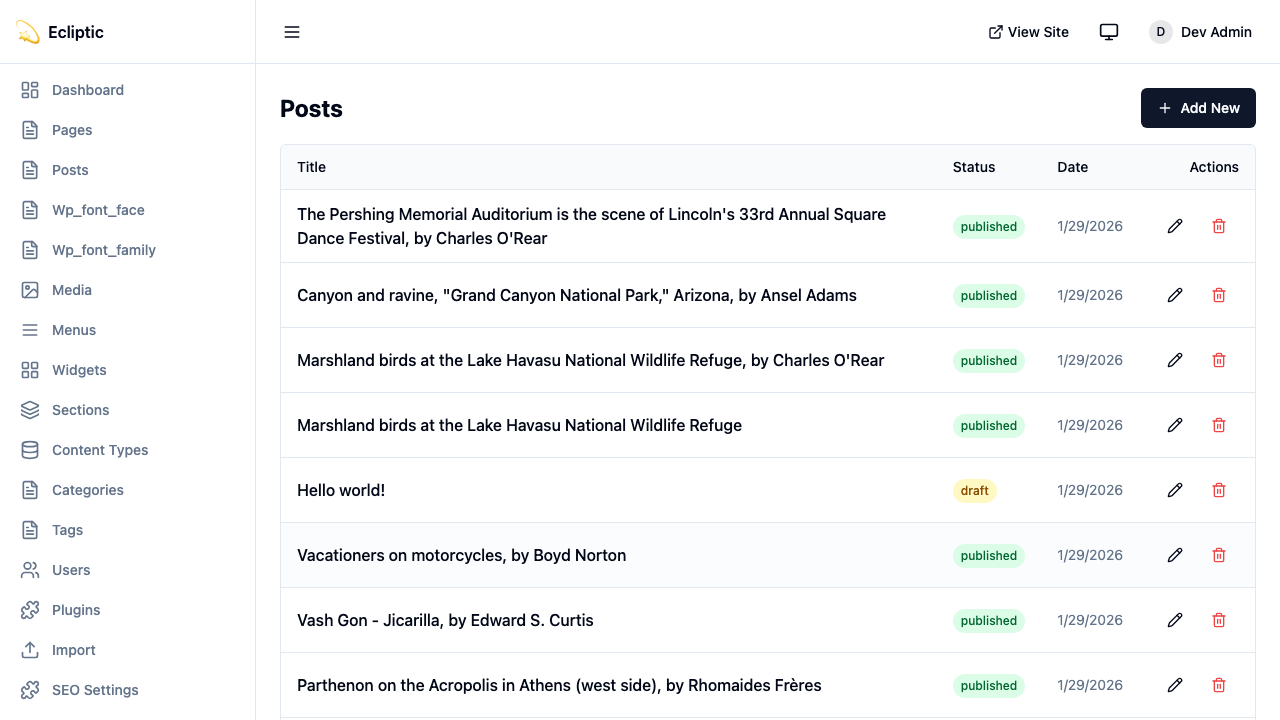
Click Posts in the sidebar
-
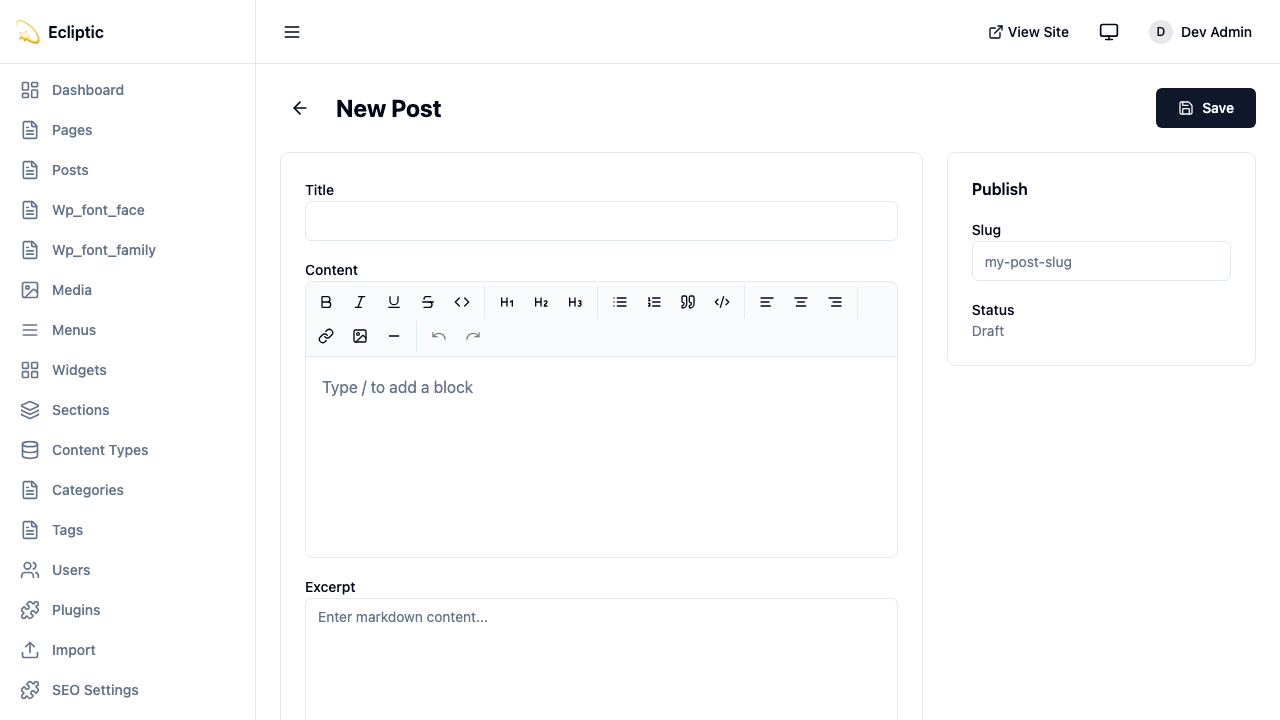
Click New Post
-
Enter a title and write your content using the rich text editor
-
Add categories and tags in the sidebar panel
-
Set the status to Published
-
Click Save
Your post is now live. No rebuild required.
Display Posts on Your Site
Section titled “Display Posts on Your Site”List All Posts
Section titled “List All Posts”Create a page that displays all published posts:
---import { getEmDashCollection } from "emdash";import Base from "../../layouts/Base.astro";
const { entries: posts } = await getEmDashCollection("posts", {  status: "published",});
// Sort by publication date, newest firstconst sortedPosts = posts.sort(  (a, b) => (b.data.publishedAt?.getTime() ?? 0) - (a.data.publishedAt?.getTime() ?? 0));---
<Base title="Blog">  <h1>Blog</h1>  <ul>    {sortedPosts.map((post) => (      <li>        <a href={`/blog/${post.data.slug}`}>          <h2>{post.data.title}</h2>          <p>{post.data.excerpt}</p>          <time datetime={post.data.publishedAt?.toISOString()}>            {post.data.publishedAt?.toLocaleDateString()}          </time>        </a>      </li>    ))}  </ul></Base>
Display a Single Post
Section titled “Display a Single Post”Create a dynamic route for individual posts:
---import { getEmDashCollection, getEmDashEntry } from "emdash";import Base from "../../layouts/Base.astro";
export async function getStaticPaths() {  const { entries: posts } = await getEmDashCollection("posts", {    status: "published",  });
  return posts.map((post) => ({    params: { slug: post.data.slug },  }));}
const { slug } = Astro.params;const { entry: post } = await getEmDashEntry("posts", slug);
if (!post) {  return Astro.redirect("/404");}---
<Base title={post.data.title}> <article> {post.data.featured_image && ( <img src={post.data.featured_image} alt="" /> )} <h1>{post.data.title}</h1> <time datetime={post.data.publishedAt?.toISOString()}> {post.data.publishedAt?.toLocaleDateString()} </time> <div set:html={post.data.content} /> </article></Base>Add Categories and Tags
Section titled “Add Categories and Tags”EmDash includes built-in category and tag taxonomies. See Taxonomies for details on creating and managing terms.
Filter Posts by Category
Section titled “Filter Posts by Category”---import { getEmDashCollection, getTerm, getTaxonomyTerms } from "emdash";import Base from "../../layouts/Base.astro";
export async function getStaticPaths() { const categories = await getTaxonomyTerms("category");
// Flatten hierarchical categories const flatten = (terms) => terms.flatMap((t) => [t, ...flatten(t.children)]);
return flatten(categories).map((cat) => ({ params: { slug: cat.slug }, props: { category: cat }, }));}
const { category } = Astro.props;
const { entries: posts } = await getEmDashCollection("posts", { status: "published", where: { category: category.slug },});---
<Base title={category.label}> <h1>{category.label}</h1> {category.description && <p>{category.description}</p>}
<ul> {posts.map((post) => ( <li> <a href={`/blog/${post.data.slug}`}>{post.data.title}</a> </li> ))} </ul></Base>Display Post Categories
Section titled “Display Post Categories”Show categories on individual posts:
---import { getEntryTerms } from "emdash";
interface Props {  postId: string;}
const { postId } = Astro.props;const categories = await getEntryTerms("posts", postId, "category");const tags = await getEntryTerms("posts", postId, "tag");---
<div class="post-meta">  {categories.length > 0 && (    <div class="categories">      <span>Categories:</span>      {categories.map((cat) => (        <a href={`/category/${cat.slug}`}>{cat.label}</a>      ))}    </div>  )}
  {tags.length > 0 && (    <div class="tags">      <span>Tags:</span>      {tags.map((tag) => (        <a href={`/tag/${tag.slug}`}>{tag.label}</a>      ))}    </div>  )}</div>
Add Pagination
Section titled “Add Pagination”For blogs with many posts, add pagination:
---import { getEmDashCollection } from "emdash";import Base from "../../../layouts/Base.astro";
const POSTS_PER_PAGE = 10;
export async function getStaticPaths() {  const { entries: allPosts } = await getEmDashCollection("posts", {    status: "published",  });
  const totalPages = Math.ceil(allPosts.length / POSTS_PER_PAGE);
  return Array.from({ length: totalPages }, (_, i) => ({    params: { page: String(i + 1) },    props: { currentPage: i + 1, totalPages },  }));}
const { currentPage, totalPages } = Astro.props;
const { entries: allPosts } = await getEmDashCollection("posts", {  status: "published",});
const sortedPosts = allPosts.sort(  (a, b) => (b.data.publishedAt?.getTime() ?? 0) - (a.data.publishedAt?.getTime() ?? 0));
const start = (currentPage - 1) * POSTS_PER_PAGE;const posts = sortedPosts.slice(start, start + POSTS_PER_PAGE);---
<Base title={`Blog - Page ${currentPage}`}>  <h1>Blog</h1>
  <ul>    {posts.map((post) => (      <li>        <a href={`/blog/${post.data.slug}`}>{post.data.title}</a>      </li>    ))}  </ul>
  <nav>    {currentPage > 1 && (      <a href={`/blog/page/${currentPage - 1}`}>Previous</a>    )}    <span>Page {currentPage} of {totalPages}</span>    {currentPage < totalPages && (      <a href={`/blog/page/${currentPage + 1}`}>Next</a>    )}  </nav></Base>
Add an RSS Feed
Section titled “Add an RSS Feed”Create an RSS feed for your blog:
import rss from "@astrojs/rss";import { getEmDashCollection } from "emdash";
export async function GET(context) {  const { entries: posts } = await getEmDashCollection("posts", {    status: "published",  });
  return rss({    title: "My Blog",    description: "A blog built with EmDash",    site: context.site,    items: posts.map((post) => ({      title: post.data.title,      pubDate: post.data.publishedAt,      description: post.data.excerpt,      link: `/blog/${post.data.slug}`,    })),  });}
Install the RSS package if you haven’t already:
npm install @astrojs/rssNext Steps
Section titled “Next Steps”- Working with Content - Learn CRUD operations in the admin
- Media Library - Add images to your posts
- Taxonomies - Create custom classification systems